
If you have ever tried to sell an old phone, a couch, or a pair of shoes without the hassle of shipping, you probably know the Letgo app. It was one of the most downloaded local selling apps in the United States, peaking at over 100 million downloads before merging with OfferUp in 2020. Whether you are looking for the Letgo app download, trying to access your old Letgo login, or simply want to know what replaced it, this guide covers everything in one place.
What Is the Letgo App?
Letgo was a free, mobile-first marketplace app that let people buy and sell used items locally. Launched in January 2015 by co-founders Alec Oxenford, Jordi Castello, and Enrique Linares, it operated on a simple idea: take a photo of what you want to sell, set a price, and let nearby buyers find you.
Unlike eBay or Amazon, Letgo did not handle payments or shipping. Every transaction happened face to face, in a public place, with cash. This kept the platform lean and trusted for everyday local selling.
Letgo App
| Feature | Details |
|---|---|
| Launched | January 2015 |
| Founded By | Alec Oxenford, Jordi Castello, Enrique Linares |
| Category | Shopping / Local Marketplace |
| Total Downloads | 100 million+ |
| Peak Monthly Active Users | 74 million (June 2020) |
| Funding Raised | $975 million (pre-merger) |
| Status | Merged with OfferUp in 2020 |
| Current Replacement | OfferUp (offerup.com) |
| App Rating (at peak) | 4.3 out of 5 |
How Did the Letgo App Work?
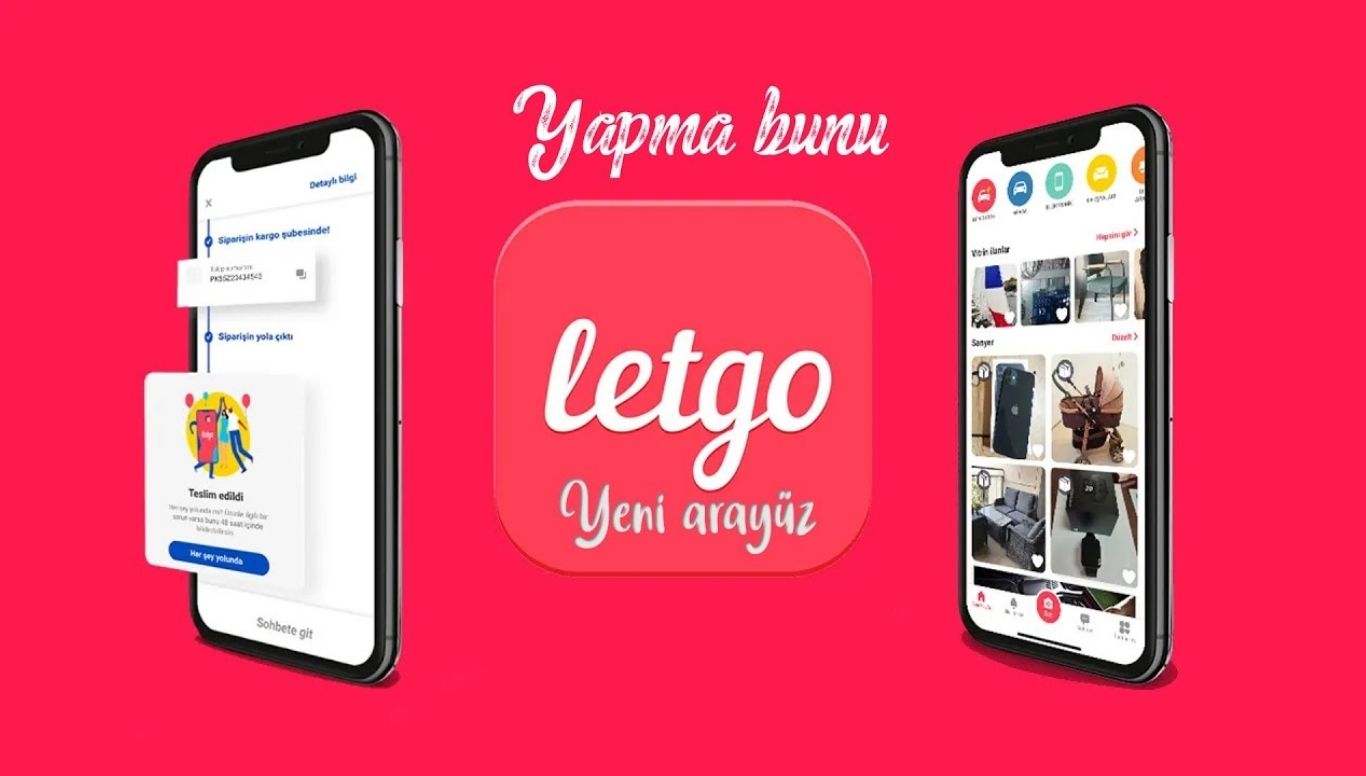
The Letgo marketplace ran on a straightforward three-step process that anyone could use without a learning curve.
Step 1: Create a Free Letgo Login
Users created an account using an email address, Facebook login, or Google account. The Letgo login process took under two minutes. Each profile showed the user’s rating, review count, and verified badge if they had confirmed their phone number.
Step 2: List an Item in Seconds
Sellers opened the app, tapped the camera icon, and uploaded a photo. The letgo selling flow was intentionally simple. The app used AI-powered image recognition to suggest a category and title automatically. Sellers only needed to confirm the price and location.
Step 3: Chat, Meet, and Sell
Buyers browsed the letgo marketplace by location, filtered by category or price range, and messaged sellers directly through the in-app chat. No phone numbers or personal emails were required. Both parties then arranged a meetup in a public place to exchange the item for cash.
Key Features of the Letgo App
Letgo stood out from older classified platforms because it was built around the smartphone experience from day one. Below are the features that made it a top choice for local selling.
Location-Based Search
The letgo marketplace used geolocation to show buyers only the listings closest to them. Users could adjust the search radius to see items within a few miles or expand it to a larger area. This local-first approach made transactions faster and safer than shipping-dependent platforms.
AI-Assisted Listings
One of Letgo’s most talked-about features was its use of image recognition to auto-fill listing details. A seller photographed a laptop and the app would suggest “Electronics” as the category and generate a suggested title. This cut listing time to under 30 seconds for most items.
In-App Messaging
Letgo’s built-in messaging system kept all buyer-seller communication inside the app. Neither party needed to share personal contact details. The chat also supported photo sharing, so buyers could request additional images before committing to a meetup.
User Ratings and Reviews
After every completed transaction, both the buyer and seller could leave a rating. This review system built credibility inside the letgo marketplace and helped new users identify trustworthy sellers quickly.
Free to Use (Letgo App Free)
The letgo app free model was a major driver of its popularity. Basic listing was completely free. The platform made money through promoted listings, where sellers paid a fee to push their item to the top of search results, and through in-app advertising.
Letgo Selling Categories
| Category | Examples |
|---|---|
| Electronics | Phones, laptops, tablets, gaming consoles |
| Furniture | Sofas, beds, desks, chairs |
| Clothing & Accessories | Shoes, bags, jackets |
| Vehicles | Cars, bikes, motorcycles |
| Home & Garden | Tools, appliances, decor |
| Kids & Baby | Strollers, toys, clothing |
| Sports & Outdoors | Bicycles, gym equipment, camping gear |
How to Download the Letgo App
The standalone Letgo app download is no longer available in its original form. Since the 2020 merger, the Letgo marketplace transitioned to OfferUp. Here is exactly what the Letgo app download situation looks like now.
Letgo App Download: What You Need to Know in
- The original Letgo app still appears in some app store searches, but it redirects users to OfferUp.
- The Google Play Store listing for the Letgo app (package: com.abtnprojects.ambatana) has over 100 million downloads recorded.
- Anyone trying to access a “restored Letgo APK” from third-party sites should be cautious. These are not official and may carry security risks.
- The safest letgo app download alternative today is the OfferUp app, available on both iOS and Android.
Where to Get the OfferUp Letgo App Replacement
| Platform | Direct Download |
|---|---|
| Android (Google Play) | Search “OfferUp” on Google Play Store |
| iOS (Apple App Store) | Search “OfferUp” on the App Store |
| Web | offerup.com |
Letgo Login: Accessing Your Old Account
Many users still search for the letgo login page expecting to find their old account. Here is how to handle it.
If you had a Letgo account before August 2020, your profile data including your ratings, purchase and sale history, and account credentials transferred to OfferUp during the merger. You can sign into OfferUp using the same email and password you used for your Letgo login.
Letgo Login Steps via OfferUp
- Go to offerup.com or open the OfferUp app.
- Tap “Sign In” and enter your old Letgo email address.
- If you used Facebook or Google to create your Letgo login, use the same social login option on OfferUp.
- If you cannot access your account, use the “Forgot Password” option and reset it via email.
Note: Active chat conversations and item listings from Letgo did not migrate to OfferUp. Only profile data and ratings carried over.
Letgo Com English: Browsing and Buying on the Web
Before the merger, letgo.com offered a full desktop browsing experience in English. Users could visit letgo com english to search local listings, view seller profiles, and send messages directly from a browser.
After August 2020, the letgo.com domain redirected to offerup.com. The complete marketplace including all active listings moved to OfferUp. If you still see cached letgo com english search results in Google, those links now point to OfferUp pages or return a redirect.
The OfferUp Letgo App Merger: What Happened?
This is the part most returning users want to understand clearly.
Timeline of the OfferUp Letgo App Story
March 2020: OfferUp announced it had acquired Letgo in a deal funded by a $120 million investment round led by OLX Group, the parent company of Letgo. OLX took a 40% stake in the merged company. Existing OfferUp investors Andreessen Horowitz and Warburg Pincus also participated.
August 31, 2020: The two marketplaces officially combined into one OfferUp app. The letgo marketplace shut down as a standalone platform. Users who had active transactions could complete them at legacy.letgo.com until September 21, 2020.
Post-merger: OfferUp became the successor to the Letgo app, inheriting its user base and expanding features including nationwide shipping, which Letgo never offered.
What Changed After the OfferUp Letgo App Merger
| Feature | Letgo App | OfferUp (Post-Merger) |
|---|---|---|
| Shipping | Not available | Nationwide shipping available |
| Listing Expiry | Items expired after 30 days | Listings do not expire |
| Super Boost Mode | Available | Cancelled; replaced by Promote Plus |
| Canada Support | Available | Discontinued after merger |
| Categories | Broad | Some Letgo categories removed |
| Account Migration | N/A | Profile, ratings, history transferred |
Why Did They Merge?
At the time of the merger, the two businesses together had a combined 20 million monthly active users. By combining forces, the goal was to create a dominant local marketplace that could compete directly against Facebook Marketplace, which had grown rapidly by using Facebook’s existing social network.
At its peak, Letgo was valued at over $1.5 billion, and before the merger it had raised $975 million from prominent investors including Naspers, Accel, and Insight Partners. Despite the funding and user base, competing against a free, built-in feature like Facebook Marketplace required scale that neither Letgo nor OfferUp could achieve independently.
Letgo Selling: Tips That Still Work on OfferUp
If you used the Letgo selling features and want to replicate that experience on OfferUp, the core habits that worked on Letgo translate directly.
Best Practices for Local Selling
- Use natural lighting for photos. Items photographed in good light sell faster regardless of platform.
- Write a clear, specific title. “iPhone 13 Pro 256GB Space Grey” outperforms “old phone for sale.”
- Price 10 to 15 percent below market. Letgo users historically responded best to listings priced slightly below secondhand market value.
- Respond to messages within an hour. Buyers on local marketplaces often message multiple sellers simultaneously. Fast responses win the sale.
- Suggest a public meetup location. Community meetup spots designated by OfferUp add a layer of safety for both parties.
- Use promoted listings for high-value items. For electronics, furniture, or vehicles, paying to boost visibility can significantly speed up the sale.
Letgo Marketplace: Top Alternatives
With the original Letgo marketplace now merged into OfferUp, here are the best platforms that fill the same local buying and selling space.
Letgo Marketplace Alternatives Compared
| App | Best For | Shipping | Fee to List | Available |
|---|---|---|---|---|
| OfferUp | Local + nationwide selling | Yes | Free (basic) | US only |
| Facebook Marketplace | Social network reach | Yes | Free | Global |
| Craigslist | Wide local classifieds | No | Free (most) | US + Global |
| Mercari | All categories, easy shipping | Yes | Free | US, Japan, UK |
| Poshmark | Fashion and clothing | Yes | Free | US, Canada, Australia |
| eBay | Any item, auction or fixed price | Yes | Free (limited) | Global |
| Wallapop | Hyperlocal European market | Yes | Free | Europe |
| 5miles | Local services and goods | Limited | Free | US |
Is Letgo Still Worth Using?
The short answer: the Letgo app as it existed in 2015 to 2020 is gone. The longer answer is that everything Letgo did well now exists inside OfferUp, often with improvements.
The trend continues to grow with increased smartphone usage, location-based services, and AI-driven personalization becoming central to user experience. Apps like Letgo and OfferUp are no longer just second-hand selling platforms — they’re becoming social-local-commerce hubs where users interact, exchange, and build communities.
If you are a returning Letgo user, the transition to OfferUp is the logical next step. Your account data already migrated. The interface is similar. The letgo selling categories you used are mostly still available under OfferUp’s framework.
FAQs
Q: Is the Letgo app still available to download? The original standalone Letgo app is no longer actively supported. The Letgo app download in app stores now redirects to OfferUp. Download OfferUp to access the merged marketplace.
Q: Can I still use my Letgo login? Yes. Your Letgo login credentials work on OfferUp. Use the same email and password, or the same social login option you originally used.
Q: What happened to my Letgo listings? Letgo listings did not migrate to OfferUp during the merger. You need to re-post any items you want to sell on OfferUp.
Q: Is the OfferUp letgo app free to use? Yes. The OfferUp letgo app replacement is free for basic buying and selling. Optional paid features include promoted listings and shipping label generation.
Q: What is letgo com english? Letgo.com was the web version of the Letgo marketplace, available in English for US users. It now redirects to offerup.com after the merger.
Q: Why did Letgo and OfferUp merge? Both platforms competed in the same local marketplace space. By merging, they combined user bases and resources to better compete against Facebook Marketplace, which had grown into the dominant free local selling tool.
Q: Does OfferUp work in Canada like Letgo did? No. OfferUp discontinued Canada support after the Letgo merger. Canadian users looking for a Letgo alternative should consider Facebook Marketplace or Kijiji.
Q: How do I contact a seller on the OfferUp letgo app? Open the listing, tap “Message” or “Make Offer,” and start a conversation through the in-app chat. The process is identical to Letgo’s messaging system.
Q: Did Letgo support cash payments only? Letgo itself did not process any payments. All transactions were arranged between buyers and sellers directly, typically using cash in person. OfferUp now offers in-app payment options as well.
Q: What were Letgo’s most popular selling categories? Electronics, furniture, clothing, vehicles, and home goods consistently performed best on the Letgo marketplace. These same categories remain the top performers on OfferUp.
Q: Is there a Letgo app for desktop or PC? The original letgo com english website allowed desktop browsing. That now redirects to offerup.com, which also supports full desktop use at offerup.com.
Q: What is the best Letgo alternative outside the US? Facebook Marketplace leads globally. Wallapop works well in Europe. OLX, the company that backed Letgo’s funding, runs local marketplace platforms across Latin America, Eastern Europe, and Asia.

Hi, I’m Sidra Azeemi, a freelance content writer and guest post specialist with 3+ years of experience. I offer content writing and on-page SEO services. I write about celebrities, net worth, and entertainment.