The best free online tools for students in 2026 are: Google Docs (writing and collaboration), Grammarly (grammar and clarity), NotebookLM (research and note summarization), Perplexity AI (cited research), Wolfram Alpha (math and science), Canva (presentations and visuals), Notion (note-taking and organization), and Quizlet (flashcards and revision). Each covers a specific study task and works well on a free plan without requiring a paid upgrade for core use.
Comparison
| Tool | Best For | Free Plan Limit | Paid Required? |
| Google Docs | Writing and group work | Unlimited (15GB storage) | No |
| Grammarly | Grammar, clarity, tone | Basic corrections only | For advanced suggestions |
| NotebookLM | PDF and note summarization | 50 notebooks, 20 sources each | No |
| Perplexity AI | Research with citations | 5 Pro searches/day | For unlimited Pro mode |
| Wolfram Alpha | Math, science, equations | Limited step-by-step | For full solutions |
| Canva | Presentations and infographics | Thousands of templates | For premium elements |
| Notion | Note-taking and planning | Unlimited personal use | For team features |
| Quizlet | Flashcards and self-testing | Unlimited sets (ads) | For Learn+ features |
| QuillBot | Paraphrasing and rewriting | 125 words per input | For unlimited mode |
| Photomath | Scanning and solving math | Step-by-step basics | For detailed explanations |
Most student tool guides in 2026 hand you a list of ten apps and call it a day. This one does something different. Every tool here is sorted by the actual task you are trying to complete, so you know exactly which one to open when you are stuck on an essay at midnight or trying to make sense of a 40-page research paper before a morning lecture.
Writing and Assignment Help
Google Docs
Google Docs is still the most reliable free writing tool available to students, and the reason is simple: it works everywhere, saves automatically, and lets you collaborate in real time without any setup. You do not need to install anything. Open a browser, sign in with a Google account, and your work is there on every device.
The comment and suggestion features make it genuinely useful for peer editing and professor feedback. Google also added an AI-assisted writing helper in 2024 that can help with drafts and summaries, though it is only available on Workspace for Education accounts.
Pros: Fully free, autosave, real-time collaboration, works offline, no storage limit on documents themselves.
Cons: Formatting can get messy when you download as a Word file. Heavy documents with lots of images occasionally lag.
Free plan: Unlimited document creation within 15GB of Google Drive storage.
Best for: Every student who writes assignments, group reports, or project documents.
Grammarly
Grammarly catches grammar errors, awkward phrasing, and unclear sentences as you type. The free browser extension works across Google Docs, your email, and most w
eb-based editors, which makes it genuinely useful without any extra steps.
The honest truth is that the free version handles spelling, basic grammar, and punctuation well enough for most assignments. The suggestions that show you tone, clarity score, engagement, and full sentence rewrites are locked behind the premium plan, which costs around $12 per month.
Pros: Works inside the browser, catches errors in real time, easy to accept or ignore suggestions.
Cons: Free version misses many style issues. Can sometimes over-correct informal writing into something that sounds robotic.
Free plan: Grammar and spelling corrections, basic clarity suggestions.
Best for: Students submitting essays, emails, or reports who want a second set of eyes before hitting send.
QuillBot
QuillBot rewrites sentences and paragraphs to help you rephrase ideas without copying the original wording. This is useful when you understand something you have read but struggle to put it into your own words for a paper.
The free version limits each paraphrasing input to 125 words, which is genuinely restrictive for longer papers. You can work around this by splitting your text into chunks, but it gets tedious. QuillBot also includes a citation generator on the free plan, which is a practical bonus.
Pros: Good paraphrasing quality, citation tool included, simple interface.
Cons: 125-word free limit is tight. Unlimited mode requires a paid plan.
Free plan: 125 words per paraphrase, citation generator, basic summarizer.
Best for: Students who need help rewording their notes or drafts for academic submissions.
I personally use both the Grammarly and Quillbot extensions to keep my grammar accurate. Having both running together helps catch errors and improve sentence structure at the same time, and they work really well as a pair.
Research and Study Tools
Perplexity AI
Perplexity AI is a research assistant that answers your questions with real sources attached. Unlike typing something into Google and clicking through five websites, Perplexity reads those sources for you and gives a direct answer with numbered citations you can verify.
For a student writing a paper, this cuts research time significantly. You can ask it something like “What are the main causes of the 2008 financial crisis according to economists” and get a structured answer with linked sources you can actually cite.
The free plan gives you five “Pro” searches per day, which use a more powerful model. Standard searches are unlimited on the free plan.
Pros: Sources are visible and clickable, gives direct answers, updates with recent information.
Cons: Pro searches are capped on the free plan. Can occasionally miss nuance on complex academic topics.
Free plan: Unlimited standard searches, 5 Pro searches per day.
Best for: Students doing initial research, fact-checking claims, or finding credible sources quickly.
NotebookLM
NotebookLM lets you upload lecture files, research papers, and documents, transforming them into a smart, interactive study assistant. You can ask questions like “Summarize Chapter 4” or “Explain this theory in simple terms” and it delivers answers from your own uploaded material.
This is genuinely different from asking ChatGPT, because NotebookLM only answers from what you give it. That means no hallucinated facts, no outdated information mixed in, just your own course material explained back to you in a digestible way.
Google’s NotebookLM is already used by hundreds of thousands of students, according to DataCamp’s 2026 roundup.
Pros: Works from your own uploaded material, no hallucinations from outside sources, generates study guides and summaries.
Cons: Only as good as what you upload. Not useful if your course material is not available digitally.
Free plan: 50 notebooks, up to 20 sources each.
Best for: University students who want to turn lecture PDFs and readings into interactive study sessions.
Wolfram Alpha
Wolfram Alpha solves math problems, explains scientific concepts, generates graphs, and handles calculations that a standard calculator cannot touch. Type in a calculus problem and it shows you the answer with steps. Type in a chemistry formula and it gives you molecular weight, structure, and related properties.
Wolfram Alpha is one of the best free tools for students who need help with maths and science. The free version gives you the final answer and a basic breakdown. The paid plan unlocks detailed step-by-step solutions, which matters a lot if you are trying to understand a concept and not just check an answer.
Pros: Handles advanced math and science, shows graphs and visual representations, reliable and accurate.
Cons: Step-by-step solutions on free plan are limited. The interface feels outdated.
Free plan: Results and basic steps, limited step-by-step walkthroughs.
Best for: STEM students working through calculus, statistics, physics, or chemistry problems.
Math on Your Phone
Photomath
Photomath is one of the fastest ways to check whether you are even on the right path in a math-heavy class. Scan the problem, get a solution path, and compare it to your own work.
Point your phone camera at a handwritten equation and Photomath reads it and solves it. It handles arithmetic through calculus and works well for high school and early university math. The free version shows solution steps, though the more detailed textbook-style explanations are stronger in the paid version.
Pros: Camera scan is fast, works offline for basic problems, intuitive for phone use.
Cons: Can encourage answer-chasing over actually learning the process. Advanced explanations cost extra.
Free plan: Solution steps for most problems, basic explanation.
Best for: School and early university students who want quick verification of their math work.
Presentations and Visual Content
Canva
Canva gives students access to thousands of templates for presentations, posters, infographics, and reports. The free plan is genuinely generous: you get most templates, a large library of stock images, and all the basic design tools. You do not need any design experience to produce something that looks polished.
The limitation on the free plan is that some premium templates and images show a watermark or require a paid upgrade. Canva for Education is available for free to students with a school email, and it unlocks most premium features at no cost.
Pros: Easy to use, huge template library, free education plan available, works in the browser.
Cons: Premium elements locked on standard free plan. Downloaded files can be large.
Free plan: Thousands of templates and design elements, Canva for Education unlocks more.
Best for: Students making presentations, project posters, or any visual assignment.
I also use Canva a lot to design my own posts, including pictures for my Fiverr gig images, and I even design logos with it. Canva is genuinely one of the best tools out there for this kind of work.
Note-Taking and Organization
Notion
Notion functions as a note-taking app, planner, database, and project organizer rolled into one. Students use it to keep lecture notes, build semester schedules, track assignment deadlines, and organize research for papers.
The personal free plan is unlimited for individual use, which makes it one of the most generous free tools available. The learning curve is steeper than a standard notes app, but once you set up a workspace that suits you, it becomes very hard to replace.
Pros: Extremely flexible, templates available for student use cases, works across devices, unlimited personal use.
Cons: Takes time to set up properly. Can feel overwhelming if you try to use every feature at once.
Free plan: Unlimited personal pages and blocks, limited collaboration.
Best for: Students who want one place to manage notes, deadlines, and project planning.
Flashcards and Revision
Quizlet
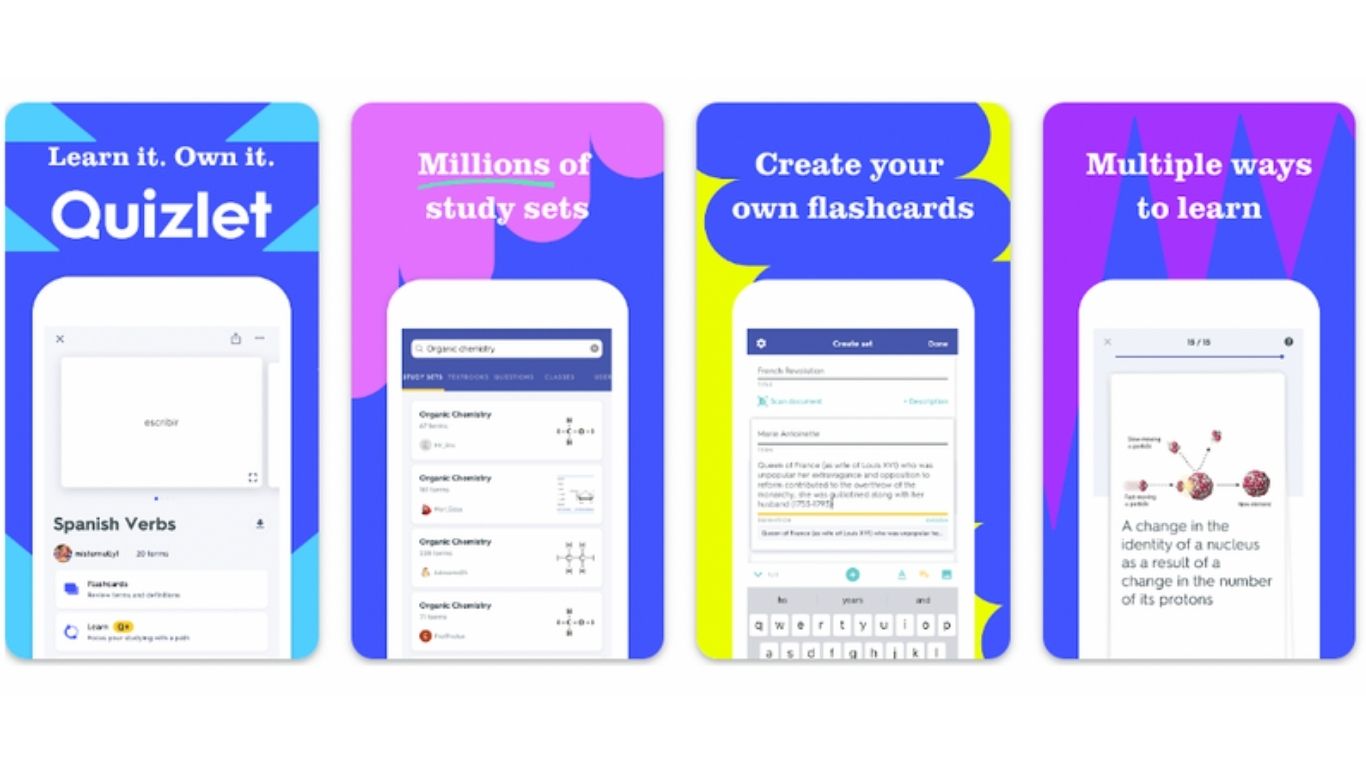
Quizlet lets you create digital flashcard sets and study them using several different modes: standard review, matching games, written tests, and a learn mode that adapts to what you keep getting wrong. You can also find existing flashcard sets for most textbooks and courses, which saves significant setup time.
The free plan puts ads on your study sessions and limits some test features, but the core flashcard and learn modes work without paying. Quizlet had over 500 million study sets available as of 2025, covering nearly every subject.
Pros: Huge library of existing study sets, adaptive learning mode, works on mobile and desktop.
Cons: Ads on free plan. Learn+ and offline mode require paid subscription.
Free plan: Unlimited flashcard creation, basic study modes.
Best for: Students preparing for exams, vocabulary tests, or any memorization-heavy coursework.
How to Choose the Right Tools for Your Situation
Not every student needs all ten tools. Here is how to narrow it down based on what you actually do.
If you write a lot of essays and reports, start with Google Docs and Grammarly. Those two together cover the drafting and editing process without any gaps.
If you are a university student dealing with heavy research loads, NotebookLM and Perplexity AI are the pair that saves the most time. NotebookLM handles your own uploaded material; Perplexity handles external research with citations.
If you study STEM subjects, Wolfram Alpha belongs on your desktop and Photomath belongs on your phone. They serve different moments: Wolfram for detailed problem-solving at a desk, Photomath for quick checks on the go.
If you make presentations or submit visual assignments, Canva with the Education plan gives you everything you need for free. Sign up with your school email to unlock the premium version at no cost.
If you struggle with organization, start with Notion. Use one of the free student dashboard templates to get running quickly rather than building from scratch.
The real mistake most students make is downloading ten apps at once and using none of them consistently. Pick two or three based on your immediate coursework, build habits around them, and add more only when you hit a genuine gap.
Frequently Asked Questions
Which free online tool is best for students writing essays?
Google Docs combined with the free Grammarly browser extension covers most essay needs. Google Docs handles drafting and collaboration while Grammarly catches grammar and clarity errors before submission.
Is Grammarly really free for students?
Yes, the basic version is free. It corrects grammar, spelling, and punctuation in real time. The premium plan adds tone detection, full sentence rewrites, and plagiarism checking, but the free version is sufficient for most assignment submissions.
What is the best free AI tool for studying in 2026?
NotebookLM is the best free AI tool for studying your own material, such as lecture notes and PDFs. For general research and explanations, ChatGPT and Perplexity AI are both strong options with generous free plans.
Can students use Canva for free?
Yes. Canva has a free plan with thousands of templates. Students can also sign up for Canva for Education using a school or university email, which unlocks most premium features at no cost.
What is the best free tool for math homework?
Wolfram Alpha is the most powerful free option for university-level math. For school-level problems and quick phone-based checking, Photomath is faster and easier to use.
Is Notion free for students?
Yes. The personal plan is free and unlimited for individual use. Notion also offers a free education plan for students and educators that includes additional collaboration features.
What is the best free research tool for university students?
Perplexity AI gives cited answers from live sources and is the fastest way to gather credible information quickly. NotebookLM complements it by letting you summarize and interact with your own uploaded course materials.
Are these tools safe to use for academic work?
Most of these tools, including Google Docs, Notion, Grammarly, and Quizlet, are widely accepted in academic settings. AI-generated content should always be reviewed and rewritten in your own words before submission to avoid academic integrity issues.
Which free tool helps with presentations?
Canva is the best free presentation tool for students. It offers slide templates, design elements, and an easy drag-and-drop interface that produces professional-looking slides without design experience.
What free tool is good for paraphrasing?
QuillBot is the most popular free paraphrasing tool. The free version limits input to 125 words at a time, which works for sentence-level rewrites. For longer passages, you need the paid plan or to work in smaller chunks.
Is there a free flashcard tool for students?
Quizlet is the most widely used free flashcard tool. It has millions of existing study sets for almost every subject, plus adaptive learning modes that adjust based on what you keep getting wrong.
Do these tools work on mobile?
Yes. Google Docs, Grammarly, Canva, Notion, Quizlet, and Photomath all have mobile apps. NotebookLM and Perplexity AI work through the mobile browser without needing a dedicated app.
For more background on educational technology, see the Wikipedia article on educational technology.

Hi, I’m Sidra Azeemi, a freelance content writer and guest post specialist with 3+ years of experience. I offer content writing and on-page SEO services. I write about celebrities, net worth, and entertainment.