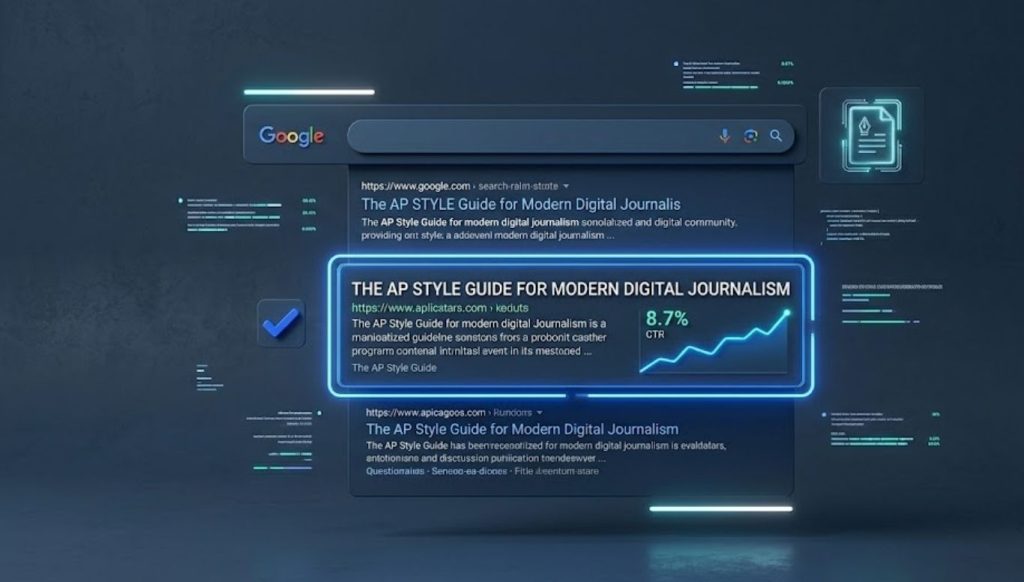
Here is something most SEO guides skip entirely: your ranking position is only half the battle. The other half is what your title looks like to a real human scrolling through search results at 11 pm on their phone, deciding in under two seconds whether your result is worth clicking.
Capitalization plays a bigger role in that decision than almost anyone in SEO talks about. Not because Google’s algorithm treats uppercase differently from lowercase when it crawls your page. It does not. Googlebot parses all title content as lowercase internally, regardless of how you write it. But what you write in that title tag is what a person sees before they click. And a title that looks careless, inconsistent, or just visually messy signals something to that person before they have read a single word of your content.
This post covers exactly how capitalization affects CTR in SERPs, why your URL slug case matters more than you think, and what a proper metadata normalization workflow looks like when you are managing titles across dozens or hundreds of pages.
Why Title Formatting Is a CTR Problem, Not Just an Aesthetic One
Let me give you the number that changes how you think about this.
A 2025 Backlinko study found that the number one result in Google gets an average CTR of 27.6%, while the result at position ten gets just 2.4%. That is a massive gap. But here is what that data does not show: two results sitting at positions three and four can have wildly different CTRs from each other because of how their titles look, not just where they rank.
A SearchPilot case study tested exactly this. An ecommerce site capitalized the most relevant parts of their product listing page title tags. The result was a statistically significant 8.5% increase in organic traffic. The reason was not a ranking change. It was that Google largely respected the capitalized title tags and showed them in SERPs, and users chose the capitalized titles over other results they could see on the page.
That single test makes the point cleanly. The way your title looks at the moment of the click decision matters. Capitalization is one signal in that visual impression.
A Semrush study also found a measurable drop in CTR when the title was not easily scannable for readers. Scannability is not just about word choice. It is also about visual structure, and capitalization is part of visual structure.
What “Messy” Capitalization Actually Looks Like in SERPs
When I say messy capitalization, I mean four specific patterns that content writers produce regularly and then forget about.
All lowercase titles look unprofessional and unintentional. “how to fix capitalization errors in wordpress” signals a draft, not a published editorial resource. Readers associate lowercase with informal content, not authoritative guides.
Random mixed cases are even worse. This happens most often when content is assembled from multiple sources or when a case converter is applied inconsistently. “How To Fix Capitalization Errors In WordPress” looks like a technical error. A reader processing that title in under two seconds gets a subconscious signal that something is wrong with the source.
Inconsistent heading hierarchy across a site is a slow-burn CTR problem. When Google pulls sitelinks or breadcrumbs to show under a main result, inconsistent title case between pages makes the whole site look unmanaged. That visual impression affects whether someone clicks the main result even if the primary title looks fine.
Truncated titles from poor case choices are a pixel problem most people underestimate. The display limit on desktop SERPs is roughly 600 pixels of width. An uppercase-heavy title at 55 characters can still get truncated, while a properly-cased 62-character title displays fully. Capital letters take more horizontal pixel space than their lowercase equivalents. A title that reads “HOW TO FIX CAPITALIZATION IN WORDPRESS EDITORS” may truncate at a worse point than “How to Fix Capitalization in WordPress Editors” at the same character count, cutting off information the reader needed to make a click decision.
Title Case vs Sentence Case: Which Performs Better in SERPs
This is the question most SEO writers want a clean answer to. The honest answer is that the data slightly favors title cases for most English-language SERPs, but the real variable is consistency, not which style you pick.
Title case, where major words are capitalized and articles and short prepositions stay lowercase, produces titles that visually pop in a list of results. The capitalization creates a visual rhythm that makes the title easier to scan quickly. Since 75% of Google users instinctively click on the first two results according to Moz research, the ability to scan and process a title fast matters for anything below position two.
Sentence case, where only the first word and proper nouns are capitalized, reads more conversationally and can work well for informational queries where the user wants a helpful, human-sounding answer. The AP Stylebook actually prescribes sentence cases for headlines, and many major publications follow this. The BBC, The Guardian, and most news sites write headlines in sentence cases.
For most blog and content marketing use cases, title case for article titles and sentence case for meta descriptions is the combination that hits the right balance. The title creates visual clarity on the SERP. The description sounds like a human wrote it.
The table below shows how the same content looks across three formatting approaches.
| Format | Example Title |
| Title Case (AP) | How to Fix Capitalization Errors in Bulk Text |
| Title Case (Chicago) | How to Fix Capitalization Errors in Bulk Text |
| Sentence case | How to fix capitalization errors in bulk text |
| All lowercase | how to fix capitalization errors in bulk text |
| All caps | HOW TO FIX CAPITALIZATION ERRORS IN BULK TEXT |
| Mixed/messy | How To fix Capitalization errors In Bulk text |
The last two rows are the ones that hurt CTR. All caps read as aggressive or spammy to most users. Mixed and messy case read as broken or unedited.
URL Slug Case: The Capitalization Problem That Can Break Your Indexing

Here is where a lot of content writers and even some developers get caught off guard. The capitalization rules for title tags and the capitalization rules for URL slugs are completely different, and getting URL slug cases wrong creates problems that go beyond CTR.
URLs are case-sensitive on most servers. This means /blog/Fix-Capitalization-Errors and /blog/fix-capitalization-errors are two different URLs as far as your server and Google are concerned. If both versions exist and both are accessible, you have a duplicate content issue. Google may split link equity between two versions of the same page, or it may index the wrong one, or it may simply not know which one to prioritize.
Google’s John Mueller confirmed this directly: “By definition, URLs are case-sensitive. So technically yes, these things matter.”
The correct approach for URL slugs is always lowercase, always hyphens between words, and never capital letters. This is not a style preference. It is a technical standard backed by RFC 3986, the specification that governs how URLs are structured. The spec states that the scheme and host portions of a URL are case-insensitive, but the path, which is the slug, is case-sensitive.
Google also treats hyphens and underscores differently in slugs. Hyphens separate words so Google reads fix-capitalization-errors as three separate words. Underscores join words so Google reads fix_capitalization_errors as a single compound term. Using underscores in slugs reduces keyword clarity for the crawler.
WordPress does this correctly by default. It converts all uppercase letters to lowercase automatically in the native slug generator. But if you are working with a headless CMS, a custom-built site, or manually setting slugs, you have to enforce lowercase yourself. A URL that contains capital letters can cause 404 errors or duplicate content issues that no amount of good title formatting can fix.
Slug Case: What Works and What Does Not
| Slug Format | Example | Status |
| Lowercase with hyphens | /fix-capitalization-errors | Correct |
| Lowercase with underscores | /fix_capitalization_errors | Avoid |
| Mixed case with hyphens | /Fix-Capitalization-Errors | Problematic |
| All uppercase | /FIX-CAPITALIZATION-ERRORS | Broken |
| No separators | /fixcapitalizationerrors | Poor readability |
| Stop words included | /how-to-fix-the-capitalization-errors | Too long |
The cleanest slug removes stop words like “the,” “a,” “of,” and “in” to keep the URL short and keyword-dense. A URL structured around 3 to 5 descriptive words outperforms longer slugs for both readability and search engine clarity.
Snippet Optimization: Normalizing Capitalization Across Metadata at Scale
This is the part of the conversation that most guides ignore because it requires thinking about metadata as a system rather than as individual page elements.
If your site has 200 published posts and no consistent capitalization standard was applied during publishing, you have 200 title tags that may be formatted differently from each other. Some may be in sentence cases. Some in the title case. Some with inconsistent preposition capitalization. Some truncated incorrectly. Some with brand names in the wrong position.
This is a normalization problem, and it affects SERP appearance in aggregate. When Google shows your site’s content in different SERP features, including featured snippets, People Also Ask boxes, sitelinks, and related searches, it draws from your existing title and heading data. Inconsistent formatting across those 200 pages means your brand appears inconsistently across all those features.
The workflow to normalize capitalization across metadata at scale has four stages.
- Stage one is audit. Export all page titles from Google Search Console or your CMS. Run them against a consistent formatting standard and flag every title that deviates. Sort by impressions so you fix high-visibility pages first. Pages that have high impressions but low CTR are your priority targets because they are already showing up but not earning clicks.
- Stage two is standardization. Decide on your capitalization standard before you touch a single title. For most content marketing sites, this means AP-style title case for post titles with sentence case for meta descriptions. Document this as your house style. Then apply it uniformly across all flagged titles.
- Stage three is slug verification. Run a crawl using Screaming Frog or Ahrefs Site Audit to identify any URLs with uppercase characters in the path. Set up 301 redirects from the uppercase version to the canonical lowercase version for every page where this appears. Do not skip the redirect step. Changing a slug without redirecting the old URL destroys any backlink equity pointing at that page.
- Stage four is ongoing prevention. The normalization only holds if your publishing workflow enforces it going forward. This means a case converter tool in your content production process, not as an afterthought but as a step before anything goes into the CMS. A browser-based tool that applies your chosen style guide automatically handles prepositions, conjunctions, and edge cases without requiring the writer to memorize formatting rules. You run the title through the tool, confirm the output matches your standard, and publish.
This four-stage process is how professional editorial sites maintain visual consistency across large content archives. It is also the most practical path for parkmagazines.com or any growing content site that accumulated formatting inconsistency during rapid publishing.
How Google Rewrites Your Title Tags (and What That Means for Capitalization)
There is one more factor worth knowing. Google rewrites meta titles more often than most people realize, and capitalization is one of the triggers.
In many title tag tests, Google strips out or edits parts of titles to conform to users’ search queries or to produce what it considers the most informative version of a page’s title. If Google rewrites your title in SERPs, your capitalization choices go out the window because the rewritten version follows Google’s own formatting preferences, which tend toward sentence case with the first letter of proper nouns capitalized.
Google is more likely to rewrite a title when the original is too long, too keyword-stuffed, uses all caps, uses clickbait formatting, or does not match the page’s actual content. A clean, properly formatted title in a consistent title case that accurately describes the page content is the least likely to be rewritten. And a title Google does not rewrite is a title you actually control in the SERP.
The ideal title tag length is 50 to 60 characters including spaces. Below 50 characters leave a signal on the table. Above 60 risks truncation with an ellipsis, which signals incompleteness to the reader and drops CTR. A well-crafted title tag in this range, formatted in a consistent title case, with the primary keyword front-loaded and the brand name at the end, is the version Google is most likely to display exactly as you wrote it.
Frequently Asked Questions
Does capitalization in title tags directly affect Google rankings?
No. Googlebot parses all title tag content as lowercase internally, so capitalization does not change how your page is ranked. What it changes is how your title looks to humans in SERPs, which affects CTR, which indirectly influences rankings through engagement signals.
What capitalization format performs best for meta titles in SERPs?
Title case consistently outperforms all-lowercase and sentence case for most English-language commercial and informational queries. It produces titles that are visually distinct and easier to scan, which supports higher CTR.
Why does all-lowercase in a title hurt CTR?
All-lowercase titles look unintentional and informal to users scanning search results. They associate lowercase formatting with drafts or amateur content, which reduces the credibility signal before a user has even clicked.
What is URL slugify case conversion and why does it matter for SEO?
Slugify conversion is the process of transforming a text string into a URL-safe format: lowercase letters, hyphens as separators, no special characters, no spaces. It matters because URLs are case-sensitive on most servers. Mixed-case slugs can create duplicate content issues when both a capitalized and lowercase version of the same URL become accessible.
Can uppercase URL slugs cause a 404 error?
Yes. If a server is configured as case-sensitive, /Blog/Fix-Errors and /blog/fix-errors are different paths. One may return a 404 if it was not set up to serve from the uppercase path. This is a common issue in custom-built sites and headless CMS setups.
How does Google decide whether to rewrite a title tag?
Google rewrites titles when they are too long, stuffed with keywords, use all-caps, do not match the page content, or are formatted in a way that degrades user experience. A clean, accurate, consistently formatted title in the 50 to 60 character range is the least likely to be rewritten.
What is the correct character length for a meta title?
The target range is 50 to 60 characters including spaces. This corresponds to approximately 600 pixels of horizontal space on desktop SERPs. Titles within this range display fully without truncation in the vast majority of cases.
How does capitalization affect featured snippet selection?
Google pulls featured snippet text from page content, not title tags. However, if your H2 and H3 headings are consistently formatted, Google is more likely to use them as the heading element of a snippet. Inconsistent heading case across a page can reduce the clarity of content structure and make snippet selection less predictable.
What is the fastest way to normalize capitalization across a large content archive?
Export all titles from Google Search Console, run them through a style-guide-aware case converter that handles prepositions and conjunctions correctly, apply changes in batches starting with high-impression pages, and verify slug cases with a site crawl tool. Set 301 redirects for any slug changes before updating internal links.
Does meta description capitalization affect CTR?
Meta descriptions are not a direct ranking factor, but they significantly influence CTR. Sentence case is the most natural format for descriptions because it reads like a human wrote it rather than a label. The first word should always be capitalized. Brand names and proper nouns should follow standard capitalization. Inconsistent or all-lowercase descriptions reduce the professional appearance of the snippet.

Hi, I’m Sidra Azeemi, a freelance content writer and guest post specialist with 3+ years of experience. I offer content writing and on-page SEO services. I write about celebrities, net worth, and entertainment.